Lunar Dynamic EQ
Eight bands that can react to the signal, with saturation on every one.
Around the interface
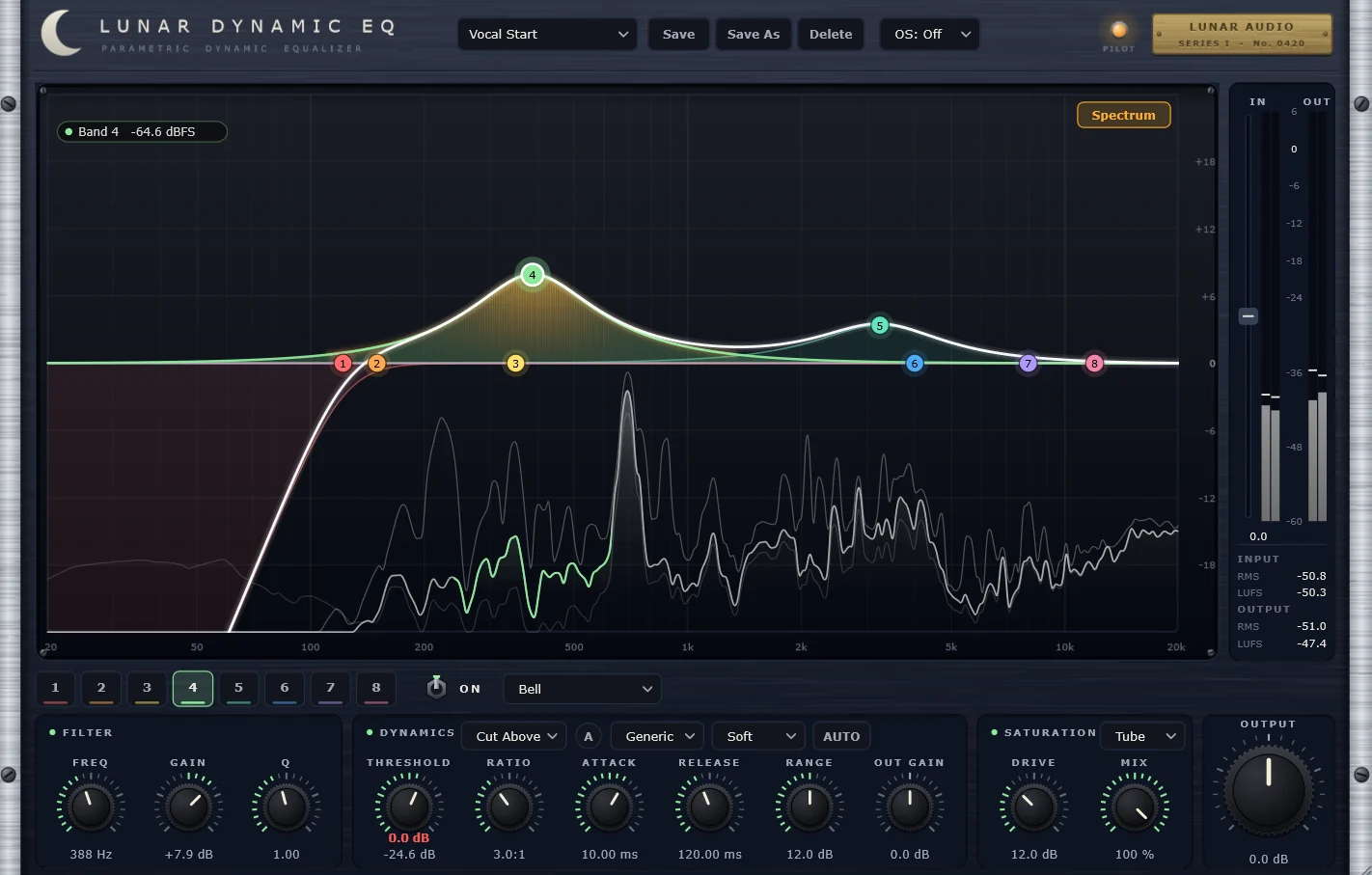
Select a numbered marker on the screenshot, or read through the notes below.
The curve
Drag any of the eight numbered points to set frequency and gain. The shaded area shows each band's contribution.
Spectrum
A live analyzer sits behind the curve. Switch it off when you'd rather listen.
Meters
Input and output levels with RMS and LUFS, so gain changes are easy to match.
Filter
Frequency, gain and Q for the selected band.
Dynamics
Turn any band into a dynamic one: threshold, ratio, attack, release, range and output gain.
Saturation
Per-band drive and mix, with a choice of character.
What it does
Shape a sound the usual way, then let any band respond to it: cut a harsh resonance only when it rings, lift a vocal only when it drops back. Each band also has its own saturation, and a live spectrum sits behind the curve so you can see what you're hearing.
Eight bands
Bell and filter shapes, each band switched on and set independently.
Dynamics on every band
Threshold, ratio, attack, release, range and output gain, with selectable modes such as cut above.
Saturation per band
Drive and mix, with a choice of saturation character.
Live spectrum
See the signal behind the EQ curve as you adjust it.
Loudness metering
Input and output RMS and LUFS readouts beside the level meters.
Oversampling and presets
Switchable oversampling, plus saveable presets for quick starting points.
Listen
Specifications
| Formats | VST3 and AU (macOS), VST3 (Windows) |
|---|---|
| macOS | macOS 12 or later, Apple Silicon and Intel |
| Windows | Windows 10 or later, 64-bit |
| Hosts | Any DAW that loads VST3 or AU plugins |
| License | One license, up to 3 of your computers |
| Version | 1.0.0 |
Try it free for 14 days.
The trial is the full plugin. After 14 days it stops processing audio until you enter a license key. No account or card needed.